I’d been watching the same progress bar crawl for two hours when I gave up on CPU. Our RAG pipeline — the system that turns a pile of PDFs and Word docs into a searchable knowledge base, by reading each document, splitting it into chunks, and converting those chunks into vector embeddings (lists of numbers that capture meaning so a computer can do math on them) — was grinding through a document collection on the CPU, and it was on pace to finish in 3.5 hours. When documents update hourly, a 3.5-hour reindex isn’t a pipeline. It’s a wall.
Moving the pipeline onto GPUs cut total processing time from 3.5 hours to 42 minutes, a 5x improvement, and cut cost per document from $0.05 to $0.01. Embedding generation was the largest win. It had taken 60–70% of the wall clock and became 4–7x faster on the GPU. The path there had a few sharp edges.
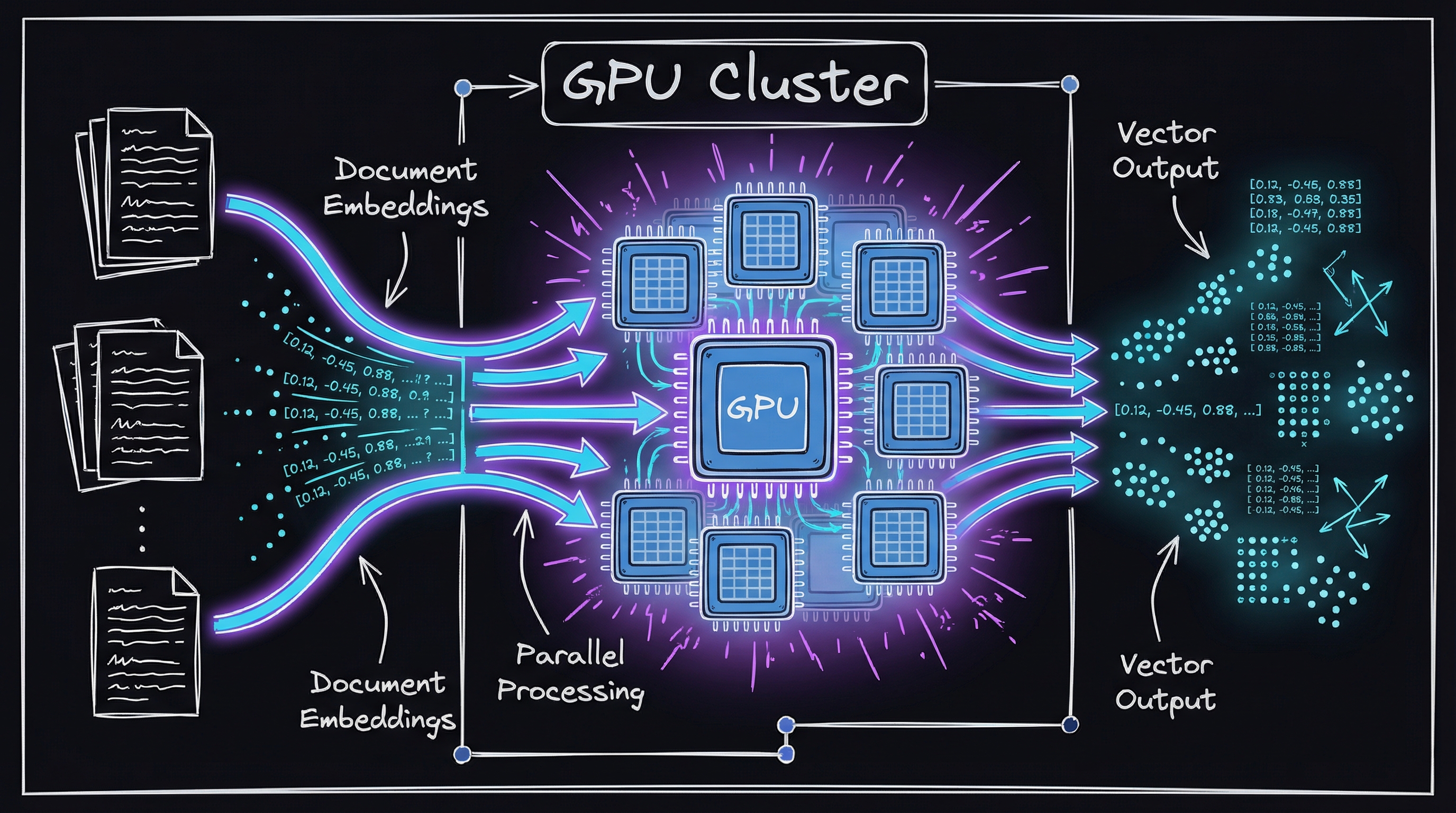
The run that took 3.5 hours
The problem we were actually solving
Before the fix, one run did five compute-heavy things in sequence:
- Document parsing — turning PDFs, DOCX, and other formats into machine-readable text.
- Text extraction & cleaning — stripping noise, handling special characters, normalizing.
- Chunking — breaking each document into semantically meaningful segments.
- Embedding generation — converting each chunk into a vector (an array of floats representing its meaning).
- Vector storage — indexing and storing those embeddings so retrieval is fast.
On CPU, a large collection took hours and sometimes days. Our documents updated often. Search over a knowledge base that was 3.5 hours stale was not real-time search.
Where the GPU paid for itself
My first guess was wrong. I assumed the bottleneck was document parsing — all that PDF decoding — and spent a morning trying to parallelize it before I ever profiled. When I finally measured, embedding generation was eating 60–70% of the runtime. Parsing was a rounding error by comparison.
A GPU (Graphics Processing Unit — a processor built to do thousands of the same operation at once, originally for rendering graphics) is good at exactly one thing: parallel work. Embedding generation is almost entirely parallel work, which is why moving it off the CPU paid off so heavily.
These were the places we used the GPU.
Parse documents on more than one GPU
Parsing looks sequential, but if you have more than one GPU you can batch documents (group them) and hand each batch to a different card:
def process_documents(documents, available_gpus):
    # Distribute documents across available GPUs
    batches = create_balanced_batches(documents, len(available_gpus))

    # Process batches in parallel
    with concurrent.futures.ThreadPoolExecutor() as executor:
        futures = [
            executor.submit(process_batch, batch, gpu_id)
            for batch, gpu_id in zip(batches, available_gpus)
        ]
        results = [future.result() for future in futures]

    return combine_results(results)
Different documents run on different GPUs at the same time, and scaling is close to linear with the number of cards.
Batch text by size
Batch size — how many chunks you feed the GPU at once — matters more than I expected at first. Too small and you waste GPU capacity; too large and you blow up with out-of-memory errors (the GPU runs out of its fast on-card memory):
def smart_batch_processor(texts, max_batch_size=32):
    # Group texts by similar lengths to optimize GPU memory usage
    texts_by_length = group_by_approximate_length(texts)

    batches = []
    for length_group in texts_by_length:
        # Dynamically adjust batch size based on text length
        adjusted_batch_size = min(
            max_batch_size,
            calculate_optimal_batch_size(length_group[0], available_gpu_memory)
        )

        # Create batches from this length group
        for i in range(0, len(length_group), adjusted_batch_size):
            batches.append(length_group[i:i + adjusted_batch_size])

    return batches
Sorting chunks into length buckets before batching raised GPU utilization 40–50% over the naive approach, especially when document lengths varied a lot.
Generate embeddings on the GPU
This is the most expensive step, and it’s where the GPU pays off most:
class GPUEmbeddingGenerator:
    def __init__(self, model_name, device_map="auto"):
        # Load model with automatic GPU distribution
        self.model = SentenceTransformer(model_name, device=device_map)

    def generate_embeddings(self, texts):
        # Perform embedding generation on GPU
        return self.model.encode(
            texts,
            batch_size=64,
            show_progress_bar=True,
            convert_to_tensor=True,
            normalize_embeddings=True
        )
Moving embedding computation to the GPU and tuning the batch size gave us a 4–7x speedup on this phase alone.
What broke
It was not clean. Three failures cost us real time.
Memory ran out
Large documents blew up with out-of-memory errors on the GPU. We fixed it with a memory-aware chunker that sizes chunks to what’s actually free:
def memory_aware_chunking(document, available_memory):
    # Estimate memory requirements
    estimated_memory_per_token = 128  # bytes

    # Calculate maximum chunk size based on available memory
    # Using 80% of available memory as a safety margin
    safe_memory = available_memory * 0.8
    max_tokens = safe_memory / estimated_memory_per_token

    # Dynamic chunking based on available memory
    return create_chunks(document, max_tokens=max_tokens)
The CUDA versions disagreed
Different libraries wanted different CUDA versions (CUDA is NVIDIA’s software layer that lets programs talk to the GPU). We solved it by containerizing the whole environment — packaging it with all its dependencies into one portable image — pinned to one tested set of versions:
under the hood — the full stack
Why length-aware batching actually matters: a GPU processes a padded rectangular tensor, so mixing a 10-token chunk with a 512-token chunk in the same batch wastes ~98 % of that row’s compute on padding. Sorting chunks into narrow length buckets before batching (a technique exposed directly in sentence-transformers via sort_by_length=True on .encode()) cuts padding overhead dramatically and raises effective GPU utilization.
The retrieval half of the stack is just as important. Embeddings are stored in pgvector (a PostgreSQL extension) or a dedicated store like Qdrant. pgvector lets you run an IVFFLAT or HNSW index entirely inside Postgres — the same DB your app already trusts — and query with a single SQL operator:
-- Find the 5 nearest chunks to a query embedding
SELECT id, content
FROM document_chunks
ORDER BY embedding <=> $1   -- pgvector cosine distance operator
LIMIT 5;
CUDA version pinning: the most common source of breakage is a PyTorch wheel built against CUDA X linked against a driver that only exposes CUDA Y. Pin to a tested combination in your container base image (nvidia/cuda:12.1.1-cudnn8-runtime-ubuntu22.04 pairs with torch==2.3.*+cu121) and verify the link with torch.cuda.is_available() plus torch.version.cuda before any model load. One assert at startup beats a silent fallback to CPU that you only notice from slow wall-clock times.
Quick smoke test you can run now:
import torch
from sentence_transformers import SentenceTransformer

model = SentenceTransformer("BAAI/bge-small-en-v1.5", device="cuda")
texts = ["GPU RAG is fast", "pgvector is underrated"] * 32   # 64 chunks
vecs = model.encode(texts, batch_size=64, normalize_embeddings=True, convert_to_tensor=True)
print(vecs.shape, vecs.device)   # expect torch.Size([64, 384]) cuda:0
If vecs.device prints cpu, your CUDA link is broken — fix the container before tuning batch sizes.
A fast run can still be wrong
GPU acceleration occasionally produced errors or incomplete results, and a half-processed run is worse than a slow one. We added checkpointing (saving progress as we go) and verification:
def process_with_verification(documents):
    results = []
    failed = []

    for doc in documents:
        try:
            # Process with timeout to prevent GPU hangs
            with timeout(seconds=300):
                result = gpu_process_document(doc)

            # Verify result integrity
            if verify_document_processing(doc, result):
                results.append(result)
            else:
                failed.append(doc)
        except Exception as e:
            logger.error(f"Failed to process {doc.id}: {str(e)}")
            failed.append(doc)

    # Retry failed documents on CPU if necessary
    if failed:
        cpu_results = cpu_process_documents(failed)
        results.extend(cpu_results)

    return results
What changed in the numbers
Here’s what the GPU pipeline delivered:
| Metric | CPU-Only | GPU-Accelerated | Improvement |
|---|---|---|---|
| Processing Speed | 10 pages/sec | 50 pages/sec | 5x |
| Embedding Generation | 45 min/GB | 8 min/GB | 5.6x |
| Total Processing Time | 3.5 hours | 42 minutes | 5x |
| Cost per Document | $0.05 | $0.01 | 5x |
The gains scale with volume. That is what makes the approach worth it for large collections.
Before I would do it again
A few practical constraints matter.
Hardware
Not every GPU is right for RAG workloads:
- Memory is the constraint — pick cards with at least 16GB VRAM (GPU memory) for production.
- Compute capability — make sure the card supports the CUDA version your libraries need.
- Multi-GPU — several smaller cards often parallelize better than one big one.
Software
- Use PyTorch with CUDA support.
- Lean on libraries that ship GPU support out of the box, like Hugging Face Transformers and Sentence Transformers.
- Consider mixed precision (FP16 — half the bits per number) for more speed.
Monitoring
- Watch GPU utilization.
- Watch for memory leaks.
- Consider auto-scaling to the workload.
The GitHub repository contains the full implementation and the key pieces of the GPU-accelerated RAG system.